

Shopping Cart (0)
Close
 29
Jun
29
Jun
The exact numbers, the reason behind them, and the smart move if you are buying in Pakistan.
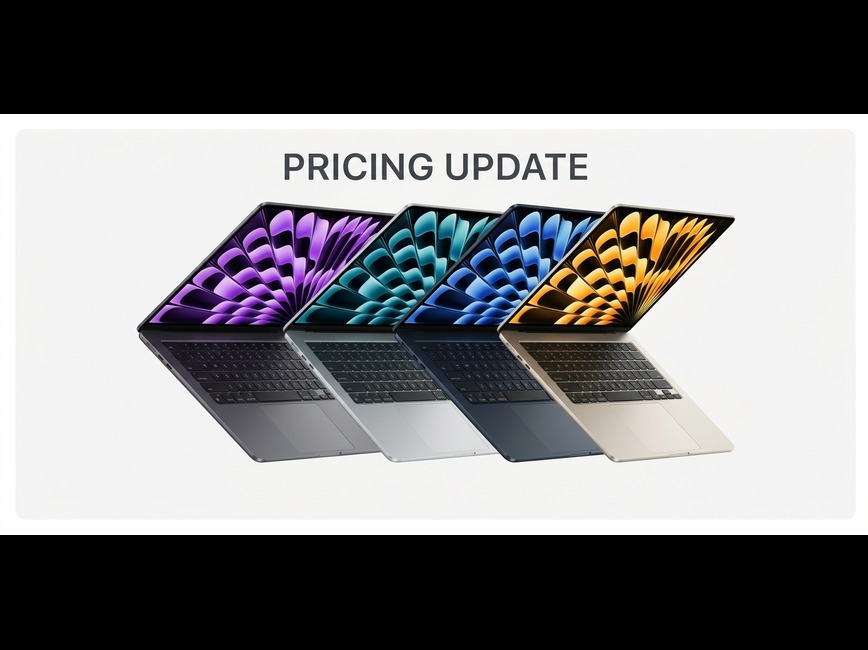
The Apple price increase that landed on 25 June 2026 is the steepest the company has made in years, and if you are buying a MacBook or iPad in Pakistan, you will feel it. Apple raised prices across almost its entire Mac and iPad range, with some models jumping by as much as 300 dollars overnight. The cause is a worldwide shortage of memory chips, and increases like this reach Pakistan within weeks. This is not a rumor or a small adjustment, it is real money. Below is exactly what changed, by how much, why it happened, and the practical decision it leaves you with.
Here are the actual changes, using Apple’s United States starting prices, which are the clearest public reference. Prices in Pakistan are set in rupees and depend on import costs, but the percentage increases carry across markets.
| Model | Old price (USD) | New price (USD) | Increase |
|---|---|---|---|
| MacBook Neo | $599 | $699 | +$100 (about 17%) |
| MacBook Air 13 inch | $1,099 | $1,299 | +$200 (about 18%) |
| MacBook Pro 14 inch | $1,699 | $1,999 | +$300 (about 18%) |
| iPad Air | $599 | $749 | +$150 (about 25%) |
| iPad Pro | $999 | $1,199 | +$200 (about 20%) |
The increases did not stop at laptops and tablets. At the top of the range, the Mac Studio jumped by 1,300 dollars, the single largest rise in the lineup, and even the Apple TV and HomePod went up. One detail worth noting: Apple did not improve a single product, it only raised the price. Same MacBook Air, same iPad, now more expensive. The good news for phone buyers is that iPhone, Apple Watch, and AirPods were not part of this round.
The cause is a global shortage of memory chips, the RAM and storage that sit inside every laptop, tablet, and phone. The boom in artificial intelligence has created enormous demand for these chips, because AI data centers are buying them up faster than factories can make them. The price of one key type of memory, DRAM, rose by about 98 percent in just the first quarter of 2026, with another jump expected after that.
When the parts inside a MacBook cost far more, the finished MacBook costs more too. Apple said it had never seen a component price rise this much, this quickly, and that absorbing the cost on its own had become unsustainable. This is an industry wide problem, not an Apple only one. Other makers, including Microsoft with its Xbox consoles, raised prices around the same time, and analysts expect the shortage to last well into 2027.
Almost every MacBook and iPad in Pakistan is imported, so when Apple’s international prices rise, local prices tend to follow within weeks. The nearest comparison market shows how this plays out. In India, the same increase pushed prices up by roughly 5,000 to 70,000 rupees depending on the model, between 20 and 42 percent on some devices, even steeper than in the United States, partly because of import duties stacked on top. Pakistan is also an import and duty market, so similar or larger percentage rises are likely here.
Put in real terms, a student buying a MacBook Air and an iPad now faces roughly 350 dollars more than the same pair would have cost the day before the change, before adding a single upgrade. In rupees, that is a serious jump. The takeaway is simple. If you were already planning to buy, sooner is cheaper. This is not a reason to rush a purchase you were not going to make, but it is a real reason not to delay one you were.
| If you were planning to buy | What changed | The smart move |
|---|---|---|
| A MacBook, Air or Pro | Up 200 to 300 dollars worldwide | Buy from current stock before local prices catch up |
| An iPad Air or iPad Pro | Up 150 to 200 dollars, the iPad Air by about 25 percent | Lock in current pricing now |
| An iPhone | No change in this round | No rush from this news, buy when you are ready |
| AirPods or Apple Watch | No change | No change to your plan |
No. This round covered MacBooks, iPads, HomePod, Apple TV, and Vision Pro. iPhone, Apple Watch, and AirPods were left unchanged, although Apple hinted that more increases could come later.
A global shortage of memory chips. AI data centers are buying so much memory that the RAM and storage inside laptops and tablets has become scarce and expensive, and Apple chose to pass part of that cost on rather than keep absorbing it.
Unlikely in the near term. Analysts expect the memory shortage to last into 2027, and other brands that raised prices earlier this year have mostly kept them high.
If you need a MacBook or iPad, buying now is the safer bet, because waiting is more likely to cost you more than less. If you can comfortably wait a year or longer, that is your call, but do not expect prices to fall quickly.
The Apple price increase is real, and in an import market like Pakistan it tends to land within weeks. The two things that protect you do not change: buy genuine, and buy from someone who is straight with you about price and timing. Message us on WhatsApp for today’s live prices in rupees on any MacBook, iPad, iPhone, or accessory, all 100% genuine with official Apple warranty, cash on delivery, and fast delivery across Lahore and nationwide. If a Mac or iPad was on your list, this is the moment to lock in current pricing.
For a detailed overview of product price changes, check out the Apple’s grand price hike .
 24
Jun
24
Jun
Chips explained, Air versus Pro, the real models, and what your degree actually needs.
Choosing your first MacBook for university is a real decision, and the money involved means you do not want to get it wrong. Most students make one of two mistakes. They pay for a powerful machine they will never push, or they save a little today and feel the regret by final year. This guide is built to stop both. By the end you will know which MacBook to buy and exactly why.
Before chips and models, learn this, because it decides whether your laptop still feels fast in year four. Memory, also called RAM, is the single most important spec for the long run, more than the chip name on the box. A MacBook with 16GB of memory will outlast a newer one with only 8GB for everyday student work.
So the rule is simple. Buy 16GB. Never buy an 8GB machine if you want it to last four years. The good news for 2026 is that the latest MacBook Air already starts at 16GB, so this is handled on new models. On older or cheaper units, check this number before anything else.
Apple silicon, the M series chips, changed laptops because even the first one is still genuinely fast years later. That is why an older chip at a lower price is often the smarter buy here, not a compromise. Here is each generation seen through a four year lens, which is the horizon that matters for a student.
| Chip (year) | Everyday speed for students | Software support runway | Best suited to | The four year verdict |
|---|---|---|---|---|
| M1 (2020) | Still smooth for normal work | Gets new macOS for a while yet, then security updates. Closest to the end of its runway | Tight budgets, light use | The cheapest way into a Mac. Worth it only with 16GB and a healthy battery |
| M2 (2022) | Excellent | Comfortable well past four years | Value seekers | The cost efficient sweet spot when it has 16GB |
| M3 (2023) | Excellent | Long, clears four years easily | Middle ground buyers | A fresh feeling machine for less than the newest |
| M4 (2024 to 2025) | Excellent, Air starts at 16GB | Long, well past four years | Most students | The best total value when priced clearly below M5 |
| M5 (2025 to 2026) | Fastest, newest | Longest, well into the 2030s | Buy once, keep for years | Highest price, longest life, full warranty |
How to read that table for Pakistan: the value play is a recent generation with 16GB, which today usually means M4. The newest M5 is the buy once option with the longest life ahead. Older generations like M1 and M2 are the budget entry when you can get them as genuine, warrantied stock, which is exactly the thing to ask us about rather than gamble on the grey market.
This is the question every student asks. Here it is without the jargon.
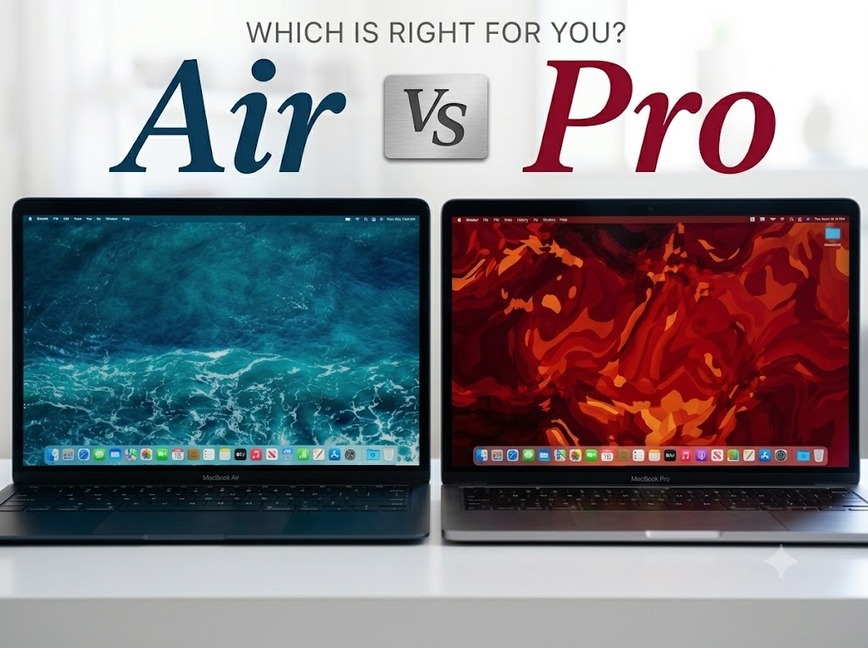
The MacBook Air has no fan. It is thin, light, silent, and lasts all day. It handles study, browsing, office work, coding, and photo editing with ease. Push it with a very long heavy task, like exporting a long video, and it gently slows down to stay cool. Most students never reach that point.
The MacBook Pro has a fan, so it holds full speed through long, heavy work. It also has a brighter and smoother screen, more ports, and the option of far stronger Pro and Max chips with more memory. It weighs more and costs more.
| What matters | MacBook Air | MacBook Pro |
|---|---|---|
| Best for | Most students and everyday use | Heavy creative or technical work |
| Cooling | Silent, no fan, eases off in very long tasks | Fan, holds full speed under long loads |
| Weight | Lighter and easier to carry | Heavier |
| Screen | Excellent | Brighter Mini LED, smoother 120Hz |
| Memory | 16GB and up | 16GB and far higher |
| Battery | All day, 15 to 18 hours | Up to 24 hours |
| Ports | Two Thunderbolt | More, including HDMI and an SD card slot |
| Price | Lower | Higher |
Knowing Air from Pro is step one. Here are the real models and who each one is for.
The MacBook Air 13 inch is the default pick for most students. Light, easy to carry all day, and powerful enough for almost every degree. The MacBook Air 15 inch gives you the same performance and the same light feel with a bigger screen, so pick it if you want more room to work and do not mind a slightly larger bag.
The MacBook Pro 14 inch with the standard M chip is the entry into Pro. The brighter, smoother screen and the fan make it the choice for steady creative work without paying for the top tier. The MacBook Pro 14 or 16 inch with Pro or Max chips is serious power for video editing, 3D, large engineering projects, and local AI work. Most students do not need this, and the ones who do already know it.
Different fields run different software, and a few honestly run better on Windows. We will not pretend otherwise, because the wrong laptop helps nobody. Here is the straight guidance.
| Your field | What you will run | What to buy | Honest note |
|---|---|---|---|
| Basic use, browsing, office, streaming | Safari, Office, YouTube, email | MacBook Air 13 inch | Any current Air is far more than enough. Comfort and battery are what you feel daily |
| Business, Accounting, Finance | Office, heavy Excel, SPSS or Stata | MacBook Air 13 inch | More than enough. A bigger screen helps with spreadsheets, so the 15 inch is worth a look |
| Medicine, Pharmacy, Dentistry | Office, PDFs, reference and study apps | MacBook Air 13 inch | Long days on campus mean light weight and battery matter most. The Air is ideal |
| Computer Science, Software Engineering | VS Code, terminal, Git, Docker, databases, app development | MacBook Air with 16GB for most, Pro 14 inch if you run heavy virtual machines, Android emulators, or local AI often | macOS is excellent for development. The 16GB rule matters here more than anywhere |
| Electrical Engineering | MATLAB, Simulink, some design tools | MacBook Air with 16GB works well | MATLAB runs nicely on Mac. Check any specialist tool your department uses, a few are Windows only |
| Mechanical, Civil, Aerospace Engineering | SolidWorks, ANSYS, AutoCAD | Often Windows only software | SolidWorks has no Mac version. For these degrees a Windows laptop is usually the safer and cheaper choice. Talk to us before you decide |
| Architecture | AutoCAD, Revit, Rhino, SketchUp | Check first | Revit does not run on Mac. If your studio relies on it, a Windows laptop, or a Mac that also runs Windows, will serve you better |
| Design, UI and UX, Marketing | Photoshop, Illustrator, Figma | MacBook Air for most, Pro 14 inch for large files and colour work | The Pro’s brighter screen is a genuine plus for visual work |
| Film, Video, Animation, 3D | Final Cut, Premiere, DaVinci, Blender | MacBook Pro 14 inch, with a Pro chip if the budget allows | The clearest case for a Pro. Long renders need the fan and the memory |
| Data Science, AI | Python, Jupyter, notebooks, some local models | MacBook Air 16 to 24GB for coursework, Pro for heavier work | Train large models in the cloud no matter which laptop you own |
| If you are | Buy this | Why |
|---|---|---|
| A typical student in any general degree | MacBook Air 13 inch with 16GB | The best all round value, light, and good for the full degree |
| On a tight budget | A genuine older generation Air with 16GB, M2 if available | Lowest price for a machine that still does the job for years. Ask us what genuine stock we have |
| Wanting one laptop to last with zero worry | The latest MacBook Air, or a 14 inch Pro if you need the power | Full warranty, fresh battery, the longest life ahead |
| In a heavy field, video, 3D, or top tier engineering | MacBook Pro 14 inch | Sustained power, the better screen, and the ports you will actually use |
A few things to get right so you buy once and buy well.
First, MacBooks use WiFi only, so there is no PTA registration to deal with, unlike iPhones. That part is easy.
Second, and this is the one that protects your money, buy genuine stock with real Apple warranty. The market is full of grey imports and quietly refurbished units that look fine and cost you later. A genuine machine with warranty is worth far more over four years than a slightly cheaper unknown one.
At MacStation we sell only 100% genuine MacBooks with official Apple warranty, at the best prices in Pakistan, with cash on delivery and fast delivery across Lahore and the whole country.
Still not sure which one is right? That is the easy part. Tell us your degree and your budget on WhatsApp and we will match you to the right MacBook honestly, even if the honest answer is a cheaper model than you expected, or in a few cases that a Mac is not the right tool for your course. That advice is free, and it is how we have kept customers for thirty years.